QR code and link
Customers scan at your stand or shop and design on their own phone. They end up with an order code – which is also their queue number.
from Start
For embroidery shops, decorators and pop-up stands
A name, a motif described in their own words or a logo: Stitchomat turns it into a machine-ready Tajima DST with stitch preview and thread list in under 30 seconds.
We are starting with a small group of pilot shops.
How it works
On their own phone via QR code or at the kiosk on your stand: a name, a motif in their own words or a logo. Plus product and position.
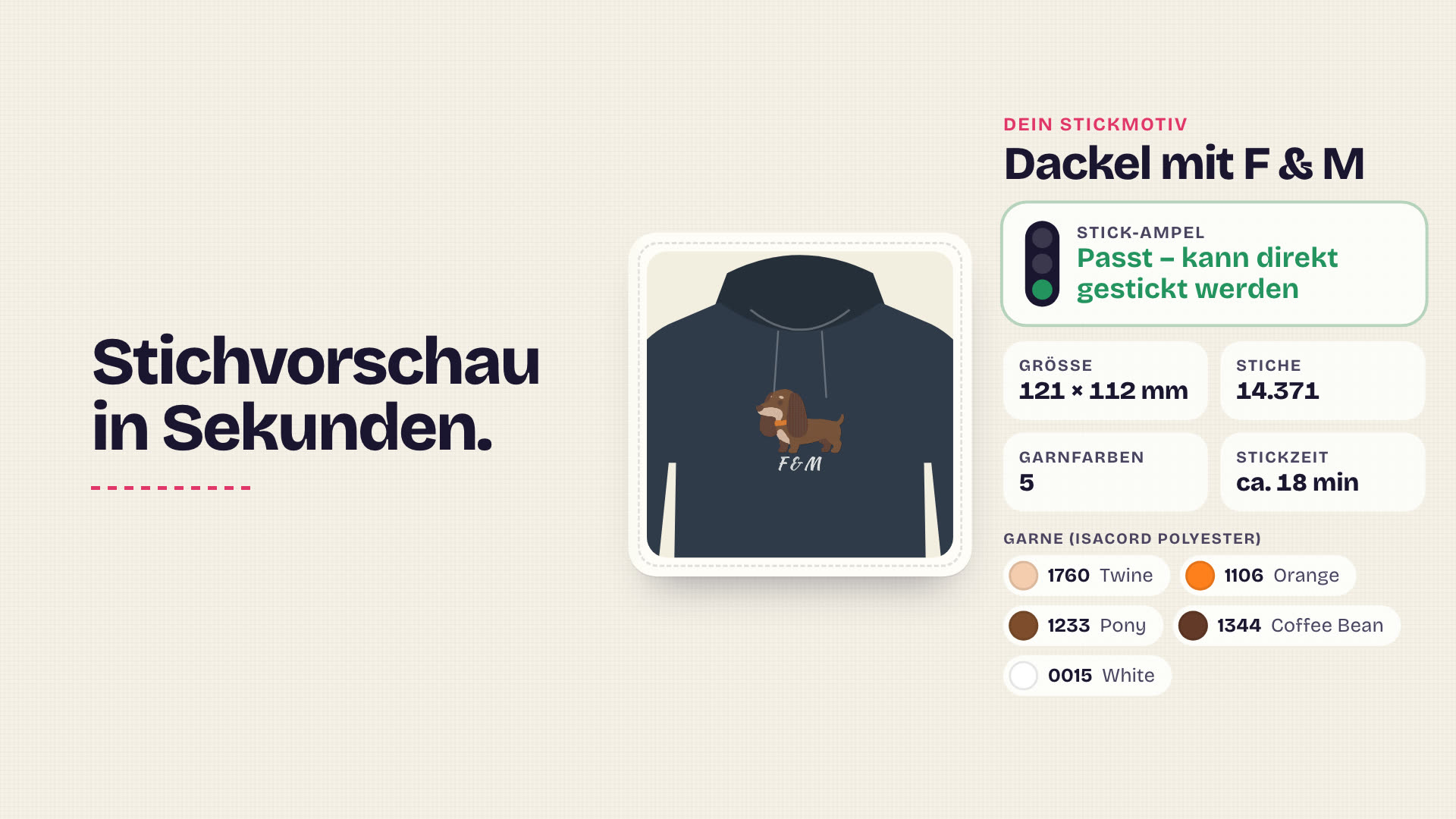
AI only draws the motif, a real embroidery engine places the stitches. Out come a Tajima DST, stitch preview, thread list and traffic light.
The order code shows up in your list – with preview, stitch count, stitching time and thread colours. No file without your approval.
DST onto the USB stick, enter the needle sequence on the panel, stitch. Like today – just without digitizing.
You store which thread sits on which needle for each machine. Stitchomat only picks colours from those and prints the needle sequence on the thread list – no rethreading for a customer wish.
Real files, not mock-ups
Five motifs from our demo, exactly as generated. Left the AI draft, right the stitch preview – rendered from the actual DST file, not a photo.
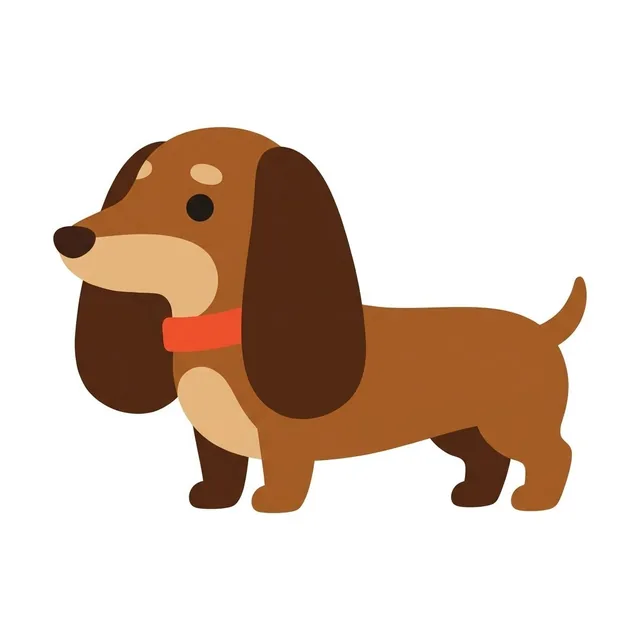
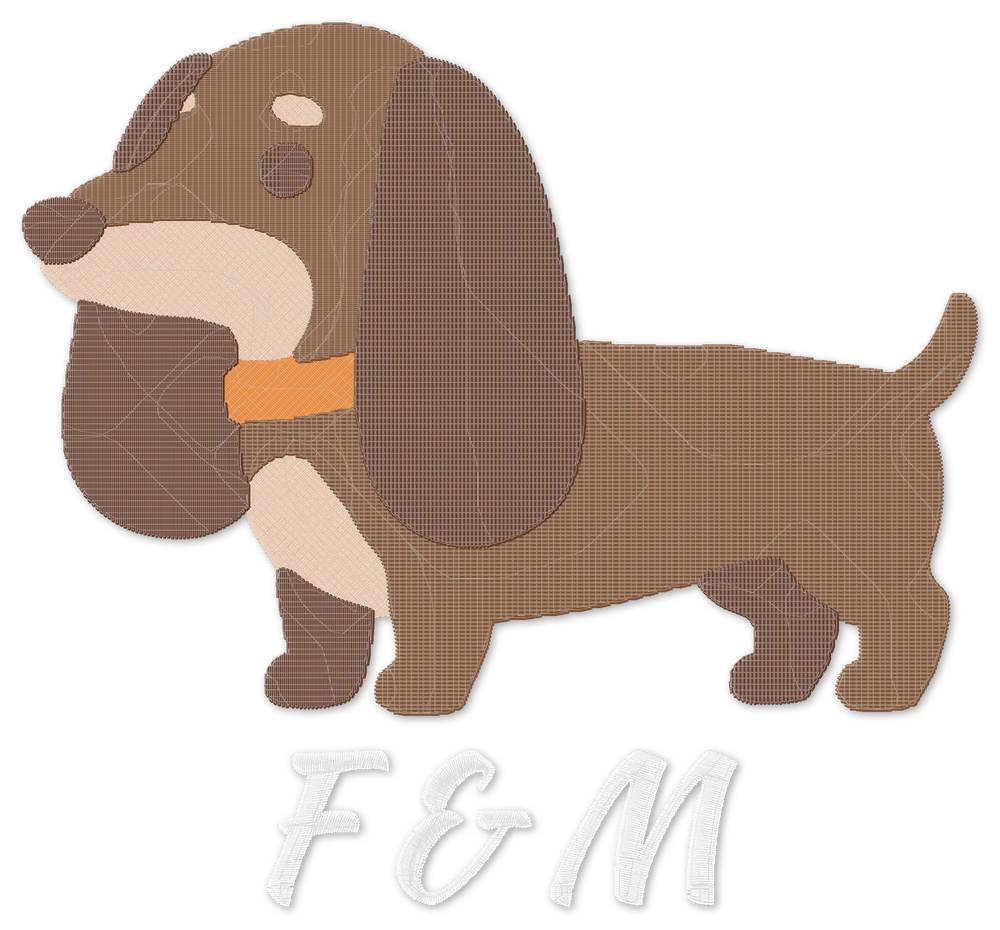
Generated on 8 Nov 2026 for Tajima multi-needle machines. Stitching time at 800 stitches per minute. The stitch preview shows the file, not the finished piece – the result also depends on machine, fabric, stabilizer and thread.
Channels
Customers scan at your stand or shop and design on their own phone. They end up with an order code – which is also their queue number.
from Start
You operate Stitchomat yourself: upload a logo, type a name, the customer watches and approves the preview right away.
from Start
An iPad in a lockable stand with a large touch interface. People in the queue are already designing – no more one-to-one advice.
from Pro or with an Event Pass
AI motifs are only available at the stand – via the stand QR code or the kiosk. That keeps previews where sales happen. Via posters, flyers or your website, customers design names, text and monograms.
Embroidery traffic light
Stitchomat checks every embroidery file automatically and shows the result as a traffic light. When in doubt it’s yellow – one green file that stitches badly costs more trust than ten yellow ones.
Green
Expected to stitch cleanly without rework. You approve.
Yellow
Stitchable but with some risk – for example many stitches or small lettering. You take a quick look.
Red
Not automatically stitchable. Goes to rework and does not count as a design file.
No file without your approval.
| Check | Yellow from | Red from |
|---|---|---|
| Stitch count | > 30,000 | > 60,000 |
| Thread colours | > 6 | > 9 |
| Jumps | > 60 | > 150 |
| Narrowest area | < 1.5 mm | < 1.0 mm |
| Letter height | < 5 mm | < 3.5 mm |
| Character missing in the font | – | yes |
Starting values. We calibrate them with stitch-outs on real machines during the pilot.
Who it’s for
Waiting becomes designing: the motif is ready when it’s the customer’s turn. Sell custom motifs today instead of in three days.
More about your businessUpload a logo at the counter, get traffic light and stitch preview in seconds. Names and monograms without evenings at the digitizing software.
More about your businessPreview and stitch count in your very first reply to the club. Names as finished DST files instead of retyping.
More about your businessData protection
Questions
Tajima DST with thread list and needle sequence. More formats such as PES or EXP are planned.
No. Every file has a traffic light, and you approve every order before you load the DST.
A design file counts on the first download of the embroidery file for an order code – for AI motifs and logos. Names, text and monograms don’t count. An AI preview is a draft the image model draws for your customer.
A preview pack is bought automatically – up to a monthly limit you set yourself. You can switch automatic top-up off at any time. Once the limit is reached, only AI previews pause – names and logos keep working.
Your embroidery machine with a USB port and any device with a browser. For the kiosk you get a shopping list (iPad, lockable stand, mobile internet). You buy the hardware yourself.
The files are technically valid and checked automatically. How well a motif stitches also depends on machine, fabric, stabilizer and thread. That’s why every pilot starts with a test day on your machine.
You may use them for your orders without time limit and pass them on with the goods – even after the contract ends. You can download them as long as they are stored. AI motifs are not exclusive.
Monthly plans can be cancelled monthly, yearly plans at the end of the term.
14 days without a payment method. Afterwards you pick a plan or your account pauses – nothing is charged.
We are starting with a small group of pilot shops. Write to us if you want to be part of it.
In the pilot we bring Stitchomat to you and generate files with your threads – you stitch them on your own machine. Then you decide.